As front-end engineers and product teams, we often need to understand, audit, or replicate UI patterns from existing web interfaces — and doing that manually in Figma can feel… inefficient.
Rebuilding layout grids, reconstructing spacing, extracting semantics from CSS, mapping design tokens — none of this is hard, but it’s definitely repetitive.
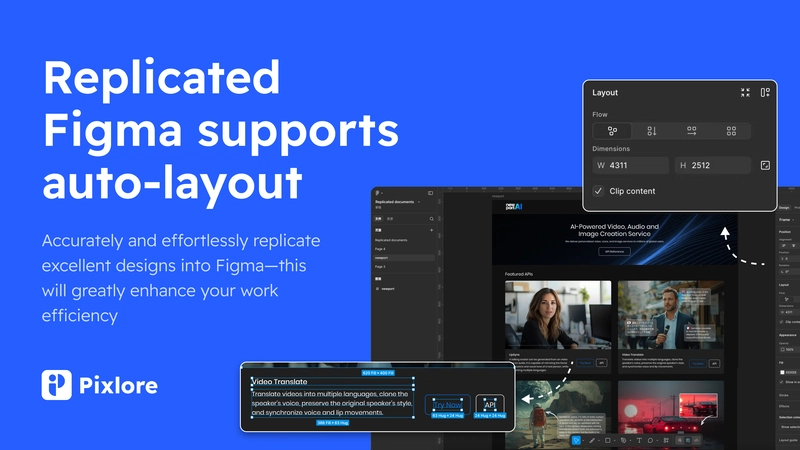
Pixlore is a Figma plugin we’ve been working on that aims to eliminate this repetitive layer.
It converts live webpages or HTML into a clean, editable Figma structure that mirrors how modern front-end systems are built.
Here’s why it’s become part of many dev/design workflows 👇
1. Structurally Accurate Reverse Engineering

Pixlore doesn’t just screenshot, it parses DOM → styles → layout → constraints, then reconstructs a Figma tree that matches:
- Auto Layout structure
- Flexbox / CSS grid relationships
- Component grouping + layer hierarchy
- Typography scale + color tokens
- Spacing rules inferred from CSS
Developers like this because the resulting Figma file is:
- predictable
- debuggable
- clean enough to hand over
- consistent with how UI code is actually structured
It’s basically a DOM → Figma AST translator.
2. AI Editing: Modify Layouts Using Natural Language

This is where dev–design collaboration gets interesting.
Pixlore includes a conversational AI that can modify generated layouts:
- “Make the grid 4 columns with 24px gutter.”
- “Replace all images with gray placeholders.”
- “Normalize spacing to an 8px scale.”
- “Apply a neutral color theme.”
- “Convert this section into reusable components.”
Think of it as using ChatGPT & Gemini3 — but embedded directly inside Figma and acting only on selected nodes.
It reduces the designer’s manual work and gives developers more consistent layouts to work with.
3. Extension Capture for Dynamic / Authenticated Pages

Developers often deal with:
- Internal dashboards
- Login-protected apps
- Infinite scroll
- Hydrated UI states
Pixlore’s browser extension lets you capture the rendered HTML/DOM from those states and port them into Figma.
Great for:
- UX teardown
- Competitor audits
- Rebuilding internal tools
- Mapping legacy UI before refactoring
4. Interaction Pattern Extraction

Pixlore can annotate the exported design with detected interaction logic:
- hover / active states
- expandable sections
- menu navigation flow
- button behavior
- scroll-triggered elements
This helps dev teams communicate functional requirements without manually documenting everything.
Why Dev Teams Use It
In real workflows, devs report using Pixlore for:
UI audits
Quickly understand the structure of a new interface before implementing a component library or refactor.
Design–Dev alignment
Designers start with accurate structural drafts → developers get clearer specs.
Rapid prototyping
Build a prototype or redesign using a real-world reference instead of starting from a blank frame.
Onboarding
New teammates can learn product UI principles by reverse-engineering existing screens.
Simple Pricing, Fast ROI
Compared to other tools doing similar web-to-Figma extraction, Pixlore aims to be:
- ⚡️ Faster
- 📐 More accurate
- 🪙 Significantly more affordable
Teams use the free tier to validate the workflow, then upgrade after confirming it reduces manual rebuild time.
🚀 Try It (Free)
If your dev/design workflow involves analyzing or replicating existing interfaces, this might save you hours.
I’m also collecting feedback from developers:
- Does the reconstructed layout match your expectations?
- What would make it more useful in your workflow?
- Should we export back to code in future versions?
Happy to chat in comments or DMs, always looking to improve the tool for real-world engineering use cases.