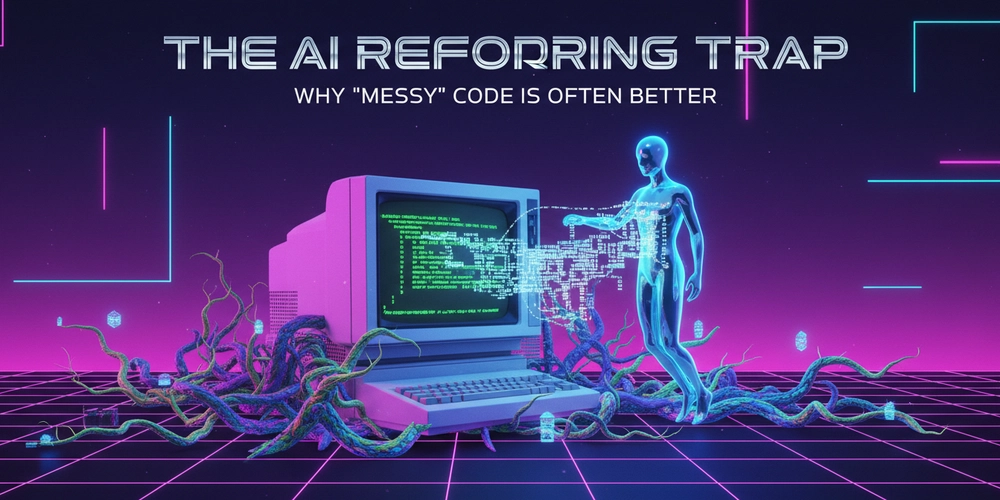
There is a hidden danger in using AI for code review and refactoring. It’s not that the AI writes buggy code; it’s that the AI is obsessed with “cleaning” code that shouldn’t be cleaned.
If you paste a file into ChatGPT or Claude and ask, “How can I improve this?”, the first thing it will almost always do is Apply the DRY (Don’t Repeat Yourself) principle.
It sees two React components that look 90% similar, or two utility functions that share 5 lines of logic, and it enthusiastically suggests: “I created a shared helper function to reduce duplication!”
And as a junior developer, you think: “Wow, that looks so much cleaner. I’m a great engineer.”
But as a senior engineer, I look at that and think: “You just handcuffed these two unrelated features together.”
The Experiment: The “Universal Card” Disaster
To demonstrate this, I set up a scenario common in “Hair on Fire” startups. We have a User List and a Product List.
I wrote two simple, separate React components. They looked nearly identical: both had an image, a title, a subtitle, and a button.
// UserCard.jsx
export const UserCard = ({ user }) => (
  <div className="card">
    <img src={user.avatar} />
    <h3>{user.name}</h3>
    <p>{user.role}</p> // unique to User
    <button onClick={() => sendInvite(user.id)}>Invite</button>
  </div>
);

// ProductCard.jsx
export const ProductCard = ({ product }) => (
  <div className="card">
    <img src={product.thumbnail} />
    <h3>{product.title}</h3>
    <p>{product.price}</p> // unique to Product
    <button onClick={() => addToCart(product.id)}>Buy</button>
  </div>
);
I gave this to a leading AI model and asked: “Refactor this to be more DRY and maintainable.”
The AI, beaming with digital pride, gave me this:
// UniversalCard.jsx
export const UniversalCard = ({
  image,
  title,
  subtitle,
  onAction,
  actionLabel
}) => (
  <div className="card">
    <img src={image} />
    <h3>{title}</h3>
    <p>{subtitle}</p>
    <button onClick={onAction}>{actionLabel}</button>
  </div>
);
The “Clean” Code Trap
If you have Shallow Knowledge, this looks like a win. You deleted one file! You reduced the lines of code!
But then, Reality hits.
Two weeks later, the Product Manager comes to you with a request: “We need the Product Cards to show a ‘Sale’ badge in the top right, and the User Cards need a green ‘Online’ dot next to the name.”
If you had kept the duplicates, this would be a 30-second change in two separate files.
But because you listened to the AI and used the UniversalCard, you now have to do this:
// The "AI Refactored" mess a month later
export const UniversalCard = ({
  image,
  title,
  subtitle,
  onAction,
  actionLabel,
  variant, // "user" or "product"
  isOnline,
  isOnSale
}) => (
  <div className="card">
    {variant === 'product' && isOnSale && <span className="badge">SALE</span>}
    <img src={image} />
    <h3>
      {title}
      {variant === 'user' && isOnline && <span className="dot" />}
    </h3>
    <p>{subtitle}</p>
    <button onClick={onAction}>{actionLabel}</button>
  </div>
);
You have created a Conditional Monster.
The UniversalCard now knows too much. It knows about “Sales” and “Online Status” and “Users.” You cannot touch the CSS for the Product Card without accidentally breaking the layout of the User Card.
Syntactic vs. Semantic Duplication
This brings us to a concept that Sandi Metz famously coined: “Duplication is far cheaper than the wrong abstraction.”
AI models are text prediction engines. They identify Syntactic Duplication (the code looks the same).
But they fail to identify Semantic Duplication (the code is the same concept).
- UserCard and ProductCard looked the same by coincidence (CSS layout).
- They changed for different reasons (User Logic vs. E-commerce Logic).
When you merge them, you couple unrelated business concepts. In a startup, where requirements pivot daily, coupling is death. You want your features to be decoupled so you can rip out the “Product” code without crashing the “User” code.
The Senior Developer’s Job
In the age of AI, the Junior Developer’s job is to generate code. The Senior Developer’s job is to resist the generation.
AI will always push you toward abstraction. It wants to compress patterns.
- It sees two
useEffecthooks and tries to make a custom hook. - It sees two API calls and tries to make a generic
fetcher.
Your job is to look at that and ask: “Will these two things change at the same time?”
If the answer is No, then let them be duplicates.
Conclusion
The next time an AI suggests “refactoring” your code to be cleaner or DRY-er, pause.
Ask yourself: “Am I merging code that looks alike, or code that IS alike?”
If it’s just a visual similarity, reject the change. Copy and paste the code. Let it be “messy.” A little bit of duplication is better than a wrong abstraction that ties your hands for the next six months.